

DECEMBER 07, 2025
Not every relationship in HubSpot needs a full-blown association. Sometimes, all you really want is the reference. When that’s the case, I store the company’s record ID as the internal value of a property instead.
Here’s the scenario this solves...
I’m in the sales pipeline and I want to start attributing partner referrals to the partner companies that already exist in HubSpot. As soon as a referred deal enters the pipeline, I want that to be logged and counted - not just for total referral volume, but also for how many of those actually go on to become CW.
It could be done manually, but that’s the kind of thing that’s easy to forget and hard to keep consistent. I did consider associating the partner company directly to the deal, but I try to avoid linking multiple companies to a single opportunity. Reporting can get messy very quickly.
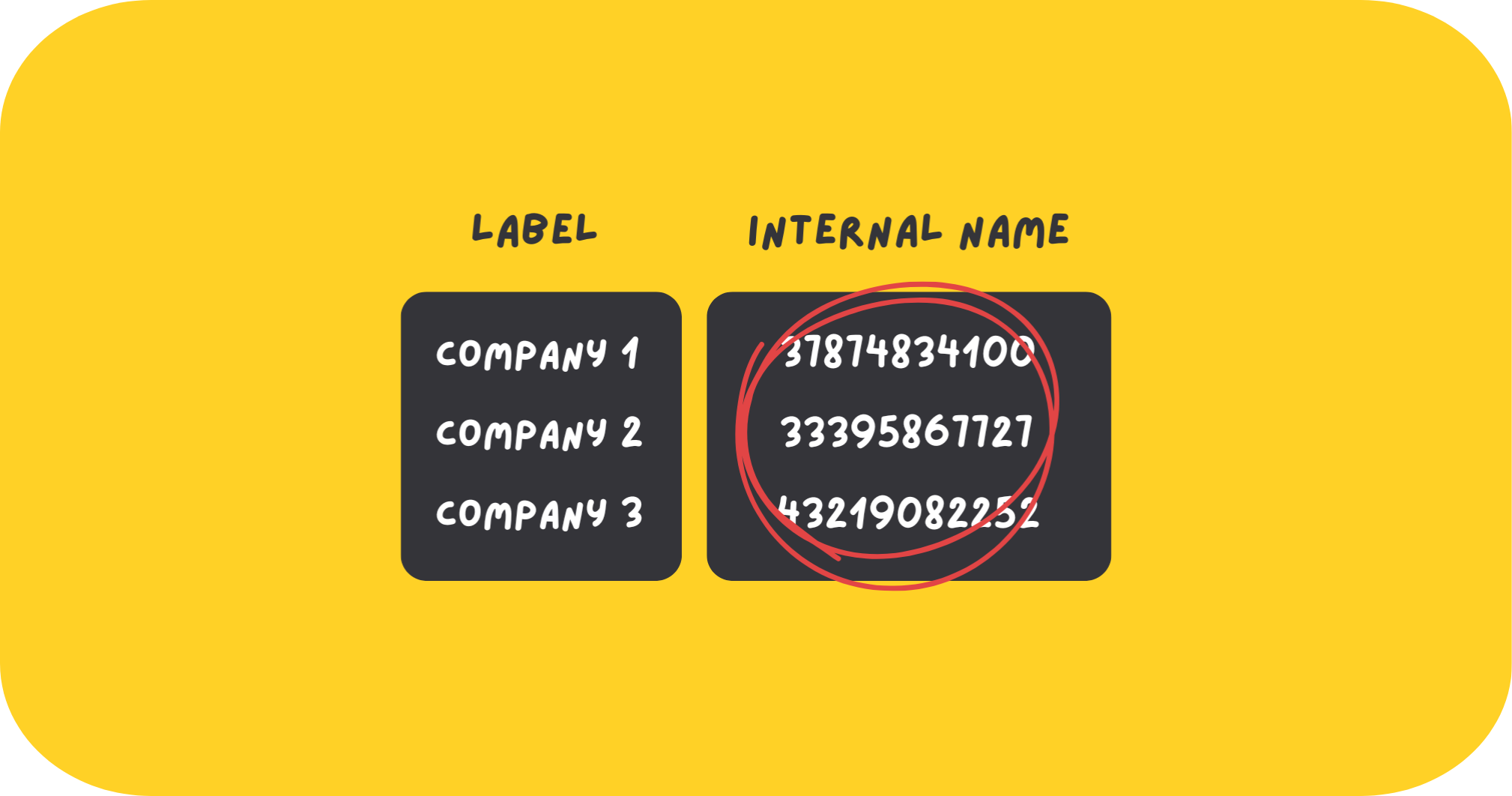
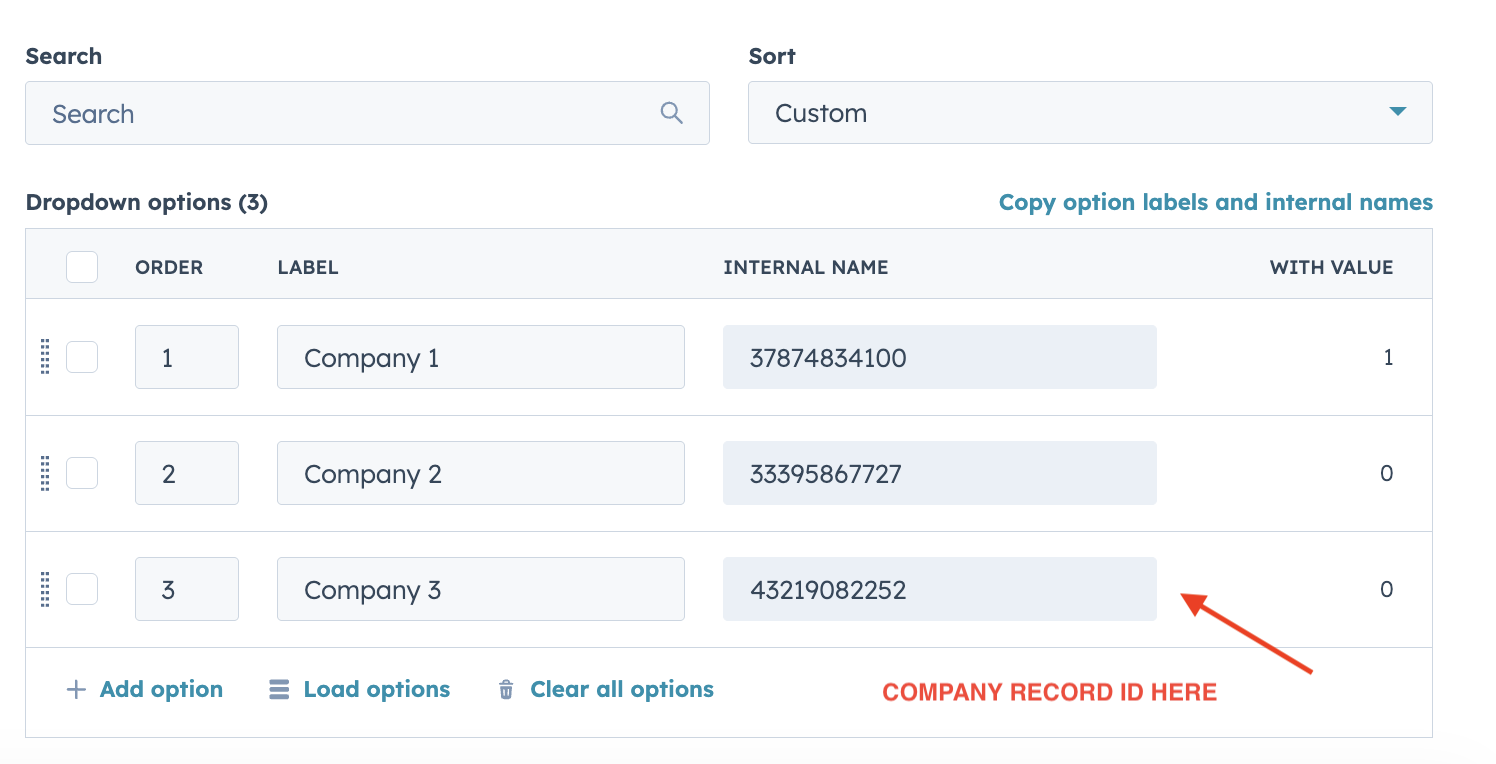
Instead, I use a deal property called Partner / Referral Name. The visible label shows the partner’s name, but the internal value of each option is the company record ID. That means when a partner is selected, I already have a direct reference to the exact company record behind the scenes - without creating a true association on the deal.
There are two ways you can approach this:
If you already have a dropdown like this:
You can use a custom code workflow to convert the existing internal values to company record IDs. This helps clean up any mismatches where some options currently store the company name instead of the actual record ID.
If you’re building this from scratch:
It’s much easier to use record IDs as the internal values from day one. As long as anyone adding a new option also pastes in the correct company record ID, there’s nothing else to maintain. No extra workflows. No remapping. It becomes completely self-serve.
Once any value is selected in the Partner / Referral Name dropdown, a workflow with custom code triggers.
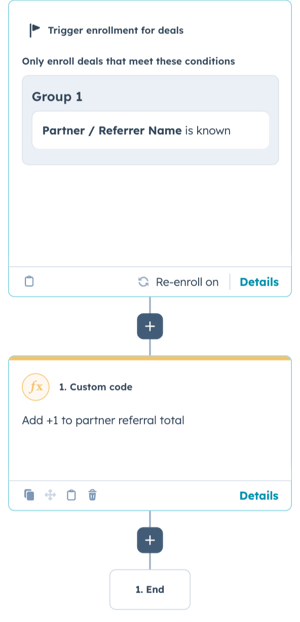
What the Custom Code Does
Once a value is selected in the Partner / Referral Name dropdown, a workflow triggers and runs a custom code action. This is the part that quietly does all the counting in the background.
Here’s what it does, step by step:
1. It reads the company record ID from the deal
The workflow pulls the value directly from the Partner / Referral Name property. Because the internal values are set to company record IDs, the code already knows exactly which company record it needs to work with.
If no value is found, the workflow stops straight away.
This prevents anything from running if the property hasn’t been set correctly.
2. It looks up the company’s current referral total
Next, the code fetches the selected company record in HubSpot and reads the current value of your referral counter property (for example, Number of Leads Referred – Total).
If that property is empty, it’s treated as 0, so everything still works as expected.
3. It adds one new referral
The existing total is increased by 1.
This represents a new referred deal entering the pipeline.
4. It updates the company record
That new number is then written straight back onto the company record.
From this point on, the referral count is always up to date - no manual edits, no reports to refresh.
5. It finishes quietly in the background
If everything runs as expected, the workflow completes and the deal moves on as normal. If anything fails along the way (for example, a missing record ID), the error is logged so it’s easy to spot and fix.
The Opportunities This Opens Up
In this setup, the company isn’t being associated to the partner company in the traditional HubSpot way. Instead, the “association” is represented as a number that increases by +1 every time a new deal enters the pipeline with a Partner / Referral Name selected.
This approach isn’t limited to partner referrals either. Once you start thinking in numbers instead of associations, you can apply the same logic to almost any relationship between objects in HubSpot - and suddenly you’ve got some really clean, flexible connections to work with.
Because referrals are being monitored in a number property, you can now:
Create partner milestones and rewards
- Set targets like 5, 10, 25, or 50 referrals and trigger rewards, alerts, or Slack notifications when a partner hits each level.

Track pipeline vs Closed Won easily
You can split this into:
- Number of Leads Referred (everything that enters the pipeline)
- Number of CW Leads Referred (only the ones that convert)
If there’s a big drop-off between the two, you instantly know something needs attention.
Spot your top-performing partners at a glance
- No reports full of associations - just clean sorting by who is actually driving outcomes.
Trigger follow-ups automatically
- For example, notify Partnerships when a partner hits their first CW deal, or when a previously active partner goes quiet.
Repurpose the same logic for other use cases
The same setup works for:
- Community referrals
- Event-driven deals
- Internal handoffs
- Anywhere you want to “count influence” without cluttering the data model.
Why It’s Worth Doing
This setup takes something that’s usually manual, messy, and easy to forget and turns it into a quiet, reliable system that just runs in the background. You get clean tracking, accurate counts, and proper visibility of what’s actually driving pipeline and Closed Won - all without adding more associations, labels, or admin for the team. It’s simple to maintain, hard to break, and once it’s live, you barely have to think about it again.