

AUGUST 06, 2026
If you have multiple deals associated with a person, it can be useful to have a single relationship that always points to the most recently created deal. This makes it much easier to build reports, formulas, and workflows without having to loop through every associated deal each time.
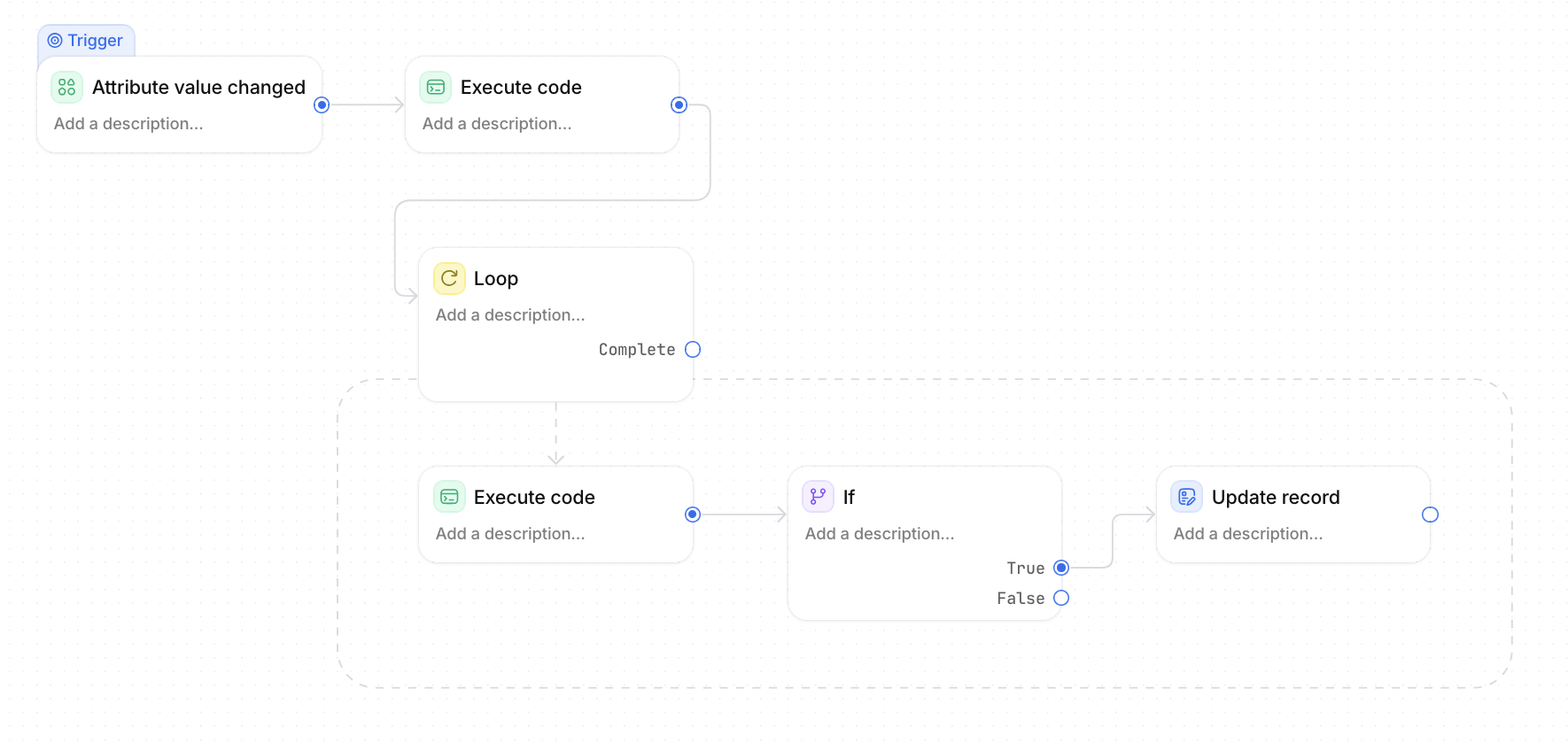
In this guide, we'll build a workflow that automatically updates a Most Recent Deal relationship whenever a person's associated deals change.
Why create a Most Recent Deal relationship?
By storing the latest deal as its own relationship, you can easily:
- Display the latest deal directly on the Person record.
- Pull values from that deal using rollups or formulas (such as Deal Status, Stage, Owner, or Amount).
- Trigger workflows based on the latest deal.
- Simplify reporting without needing complex workflow logic.
For example, once the relationship exists you can create a formula like:
Most Recent Deal → Deal Status
to instantly show whether someone's latest opportunity is Open, Won or Lost.
Create the relationship attribute
Create a new relationship attribute on People called:
Most Recent Deal
This will store a single Deal record.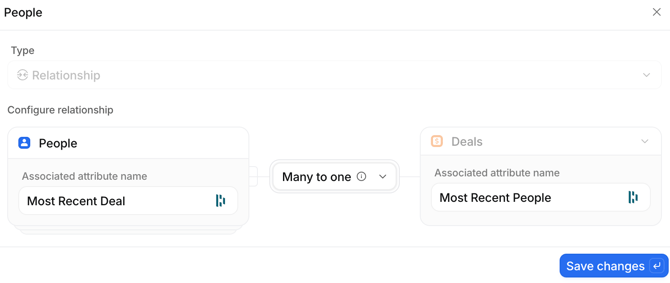
Trigger the workflow
Create a new workflow.
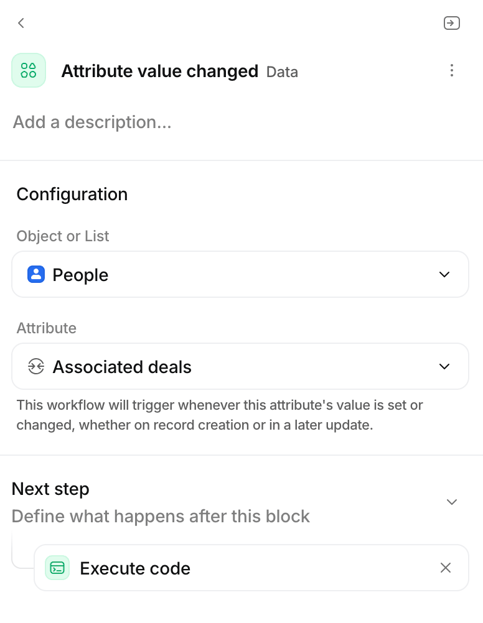
Trigger:
- Object: People
- Trigger: Attribute value changed
- Attribute: Associated deals
Whenever a deal is added or removed from a person, the workflow will run.
Find the newest (most recent) timestamp
Add an Execute Code block.
Pass in:
- Associated deals → Created at
This will be an array of timestamps.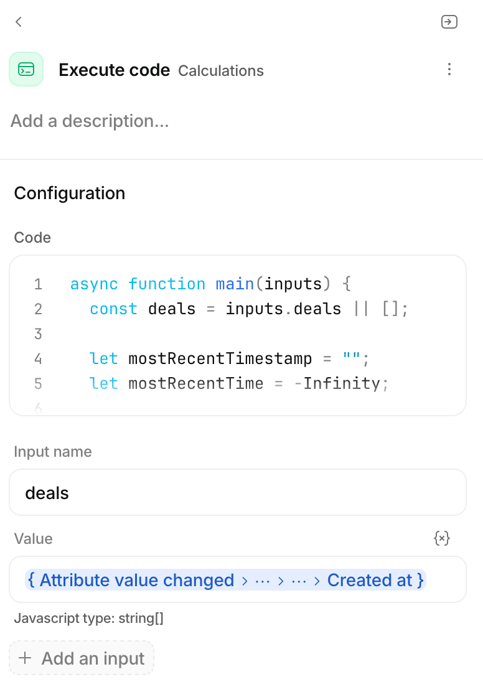
Use the following code:
The output is simply the newest Created at timestamp.
Loop through the associated deals
Next, add a Loop block.
Loop through:
Associated deals
This gives you access to each deal individually.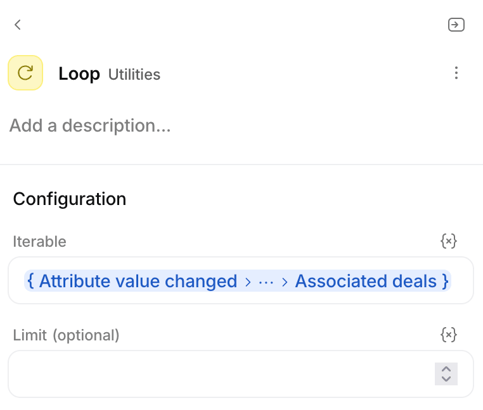
Find the matching deal
Inside the loop, add another Execute Code block.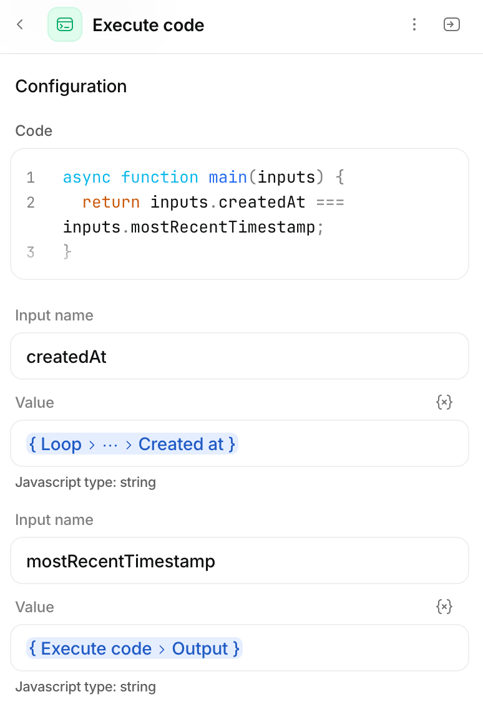
Inputs:
createdAt Loop → Current Deal → Created at
mostRecentTimestamp Output from previous Execute Code
This simply returns true when the current deal is the newest one.
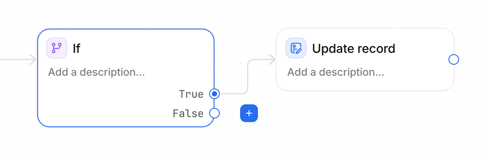
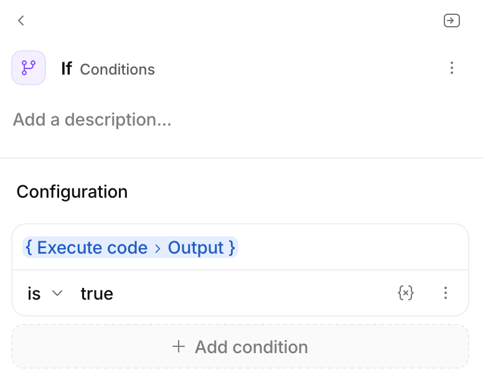
Add an If block
Check whether the Execute Code output is: true
If false, do nothing.
If true, continue to the next step.
Update the Person
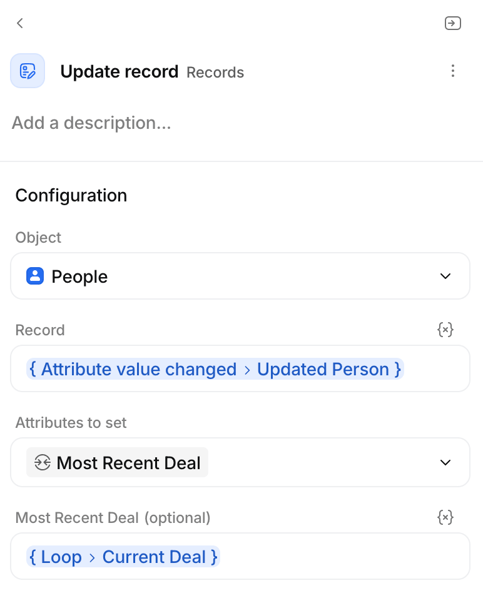
Add an Update Record block.
Update:
- Object: People
- Record: Updated Person
- Attributes to set: Most Recent Deal
- Most Recent Deal: Loop → Current Deal
Once the loop finds the matching deal, the relationship is updated.
Result
Your Person records will now always contain a Most Recent Deal relationship.
Once populated, you can use it anywhere in Attio. For example:
- Most Recent Deal → Deal Status
- Most Recent Deal → Stage
- Most Recent Deal → Amount
This keeps your reporting and workflows much simpler, as you're always working with a single relationship rather than searching through every associated deal.
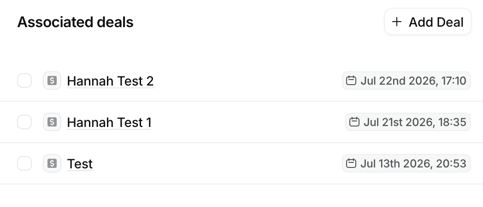
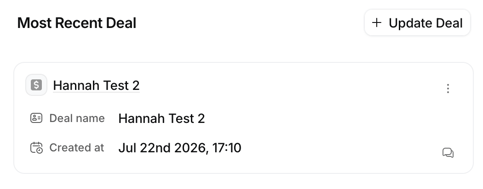
By matching the most recent deal timestamp to the Created at value of each deal within the loop, you can identify and associate the correct deal automatically. The same approach can also be used for Companies. Instead of storing the Most Recent Deal on a Person record, you can create a Most Recent Deal relationship on Companies and update it whenever associated deals change. This gives you an easy way to reference the latest deal for each company in reports, formulas, and workflows.