JULY 17, 2026
Depending on the data you store in Attio, it can be useful to create count properties. A count property is exactly what it sounds like: a value that's automatically updated by a workflow to count either the number of values in a multi-select attribute or the number of associated records across objects.
For example, you could create a Team Size property on your Companies object that counts how many People records are associated with each company. This makes it easy to identify companies with no contacts so you can decide whether they need enriching with additional people or should be removed from your workspace.
Team Size (Loop)
The first workflow we'll create updates the Team Size attribute.
Before creating the workflow, add a new Number attribute called Team Size to your Companies object.
This is where the workflow will store the total number of associated team members.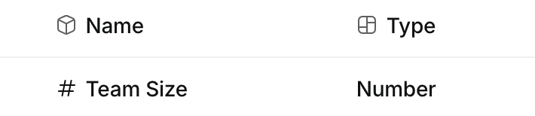
Once you've done that, create a new workflow using the Attribute value changed trigger.
In the configuration, select Companies as the object and Team as the attribute.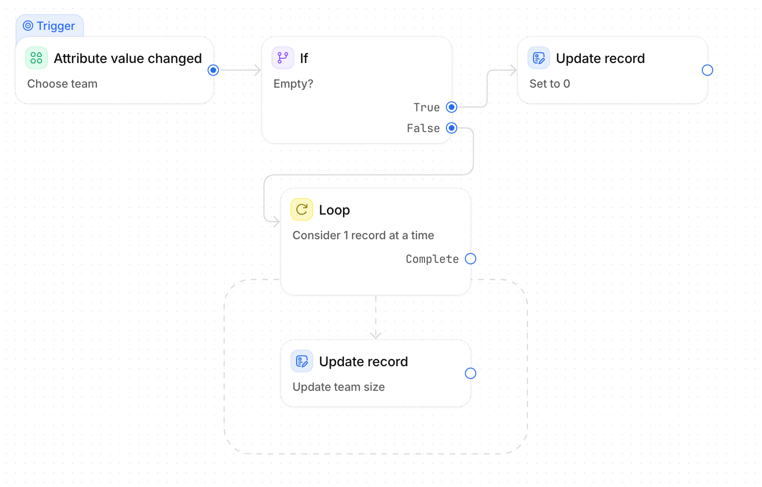
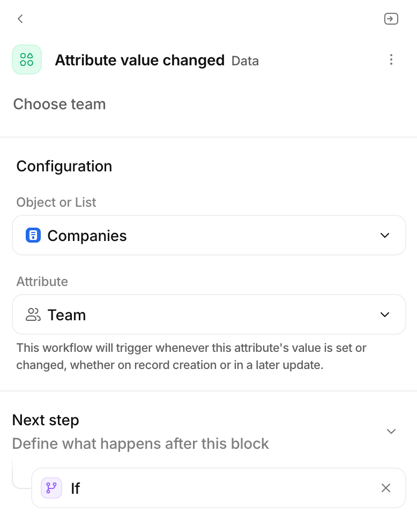
We're using Attribute value changed rather than Record updated for an important reason. Attribute value changed runs whenever the selected attribute is first set or changed, including when a record is created. Record updated, on the other hand, only runs when an existing record is updated and won't trigger when the attribute is initially populated during record creation.
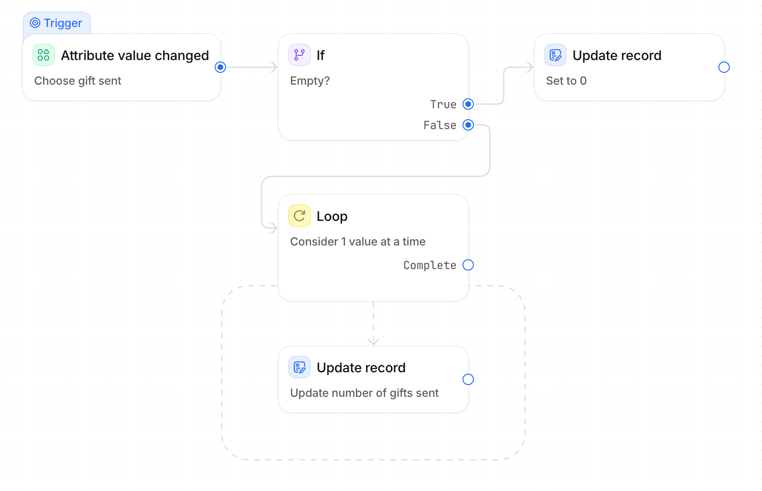
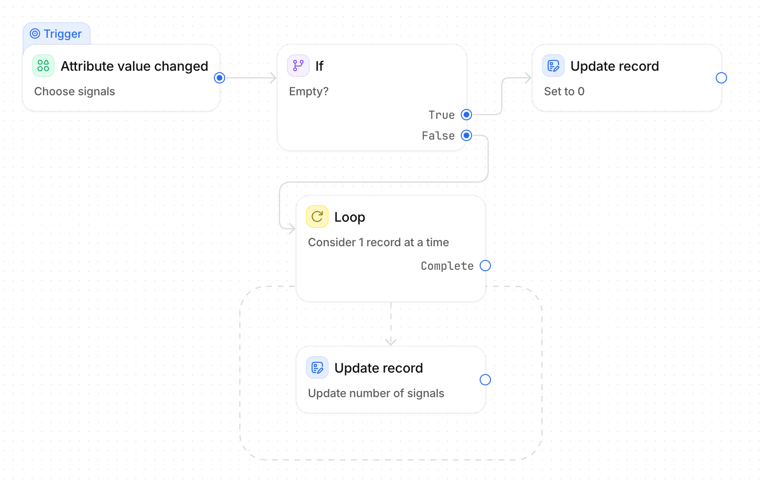
Next, add an If block to check whether the Team relationship is empty.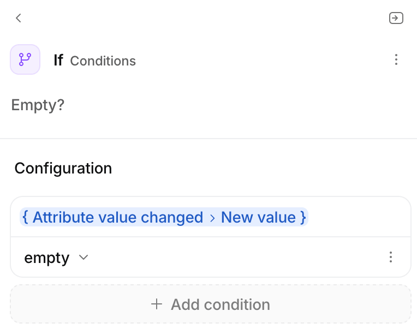
If no team members are associated with the company, there's no need to loop through any records. Instead, update the Team Size attribute to 0. This ensures companies that no longer have any associated team members don't keep an outdated count.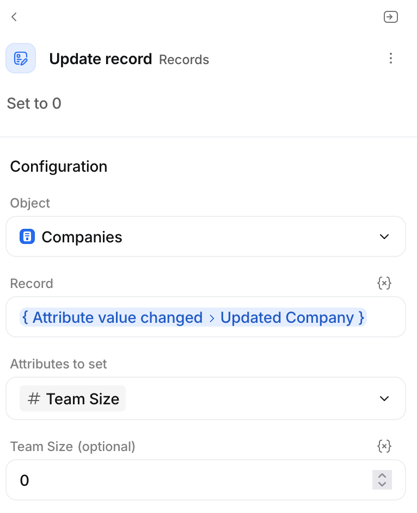
If the company does have associated team members, continue down the False branch and add a Loop block. Configure the loop to iterate through the Team relationship, considering one associated record at a time.
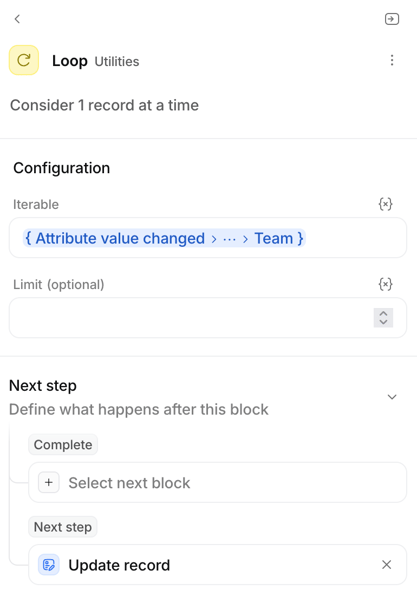
Although the loop processes each associated team member individually, the value we want is simply the total number of associated records. Inside the loop, add an Update record step and set the Team Size attribute using the Loop → Count output. This returns the total number of associated team members, regardless of which iteration the loop is currently processing.
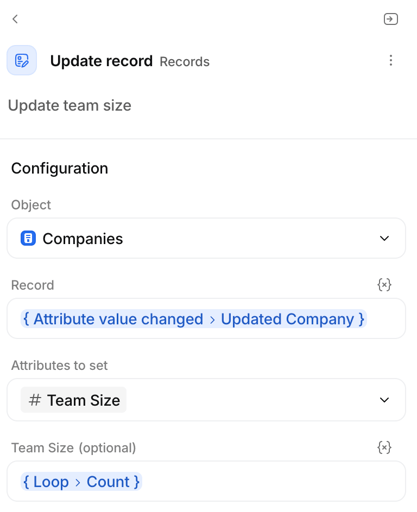
At this point, the workflow is complete. Whenever a team member is added to or removed from a company, the workflow will automatically recalculate the total and keep the Team Size property up to date. If there are no associated team members, the earlier If block ensures the value is set back to 0, preventing stale data from being left behind.
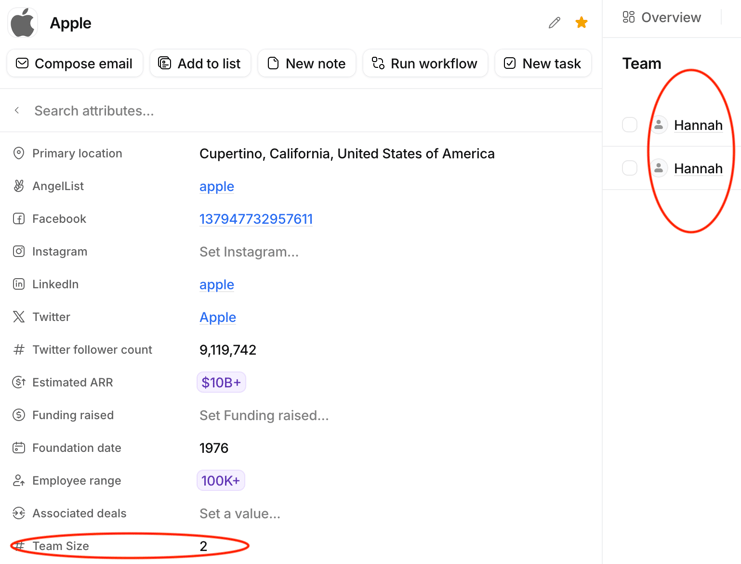
One thing to keep in mind is that this workflow only triggers when the Team relationship changes. If a related record is deleted rather than unassociated from the company, the workflow won't run, so the count may become inaccurate until the relationship is updated again.
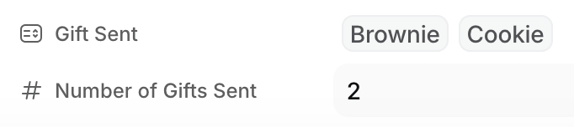
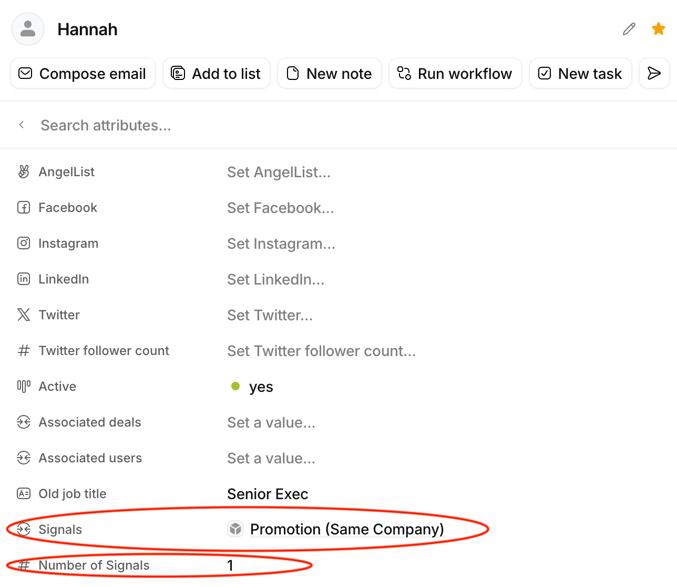
Now that you've got the basic structure, you can reuse the same approach for almost anything you want to count. For example, I've used the same logic to create a Number of Signals property, where Signals is a custom object associated with People. Another example is Number of Gifts Sent, which counts the selected values in a company multi-select attribute called Gift Sent.
Number of Signals (Loop)
Gift Sent (Loop)